Piano - Play & Learn Music
GismartMusic
4.22.01K Reviews
- Version
- 2.21.1
- Installs
- 10.00M
- Age Rating
- Everyone
Screenshots
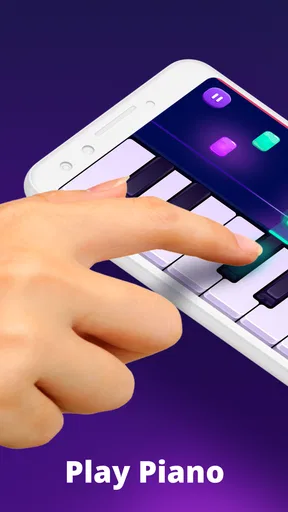
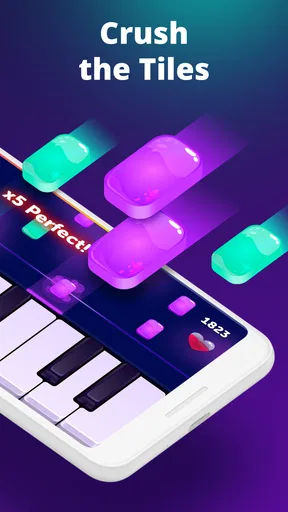
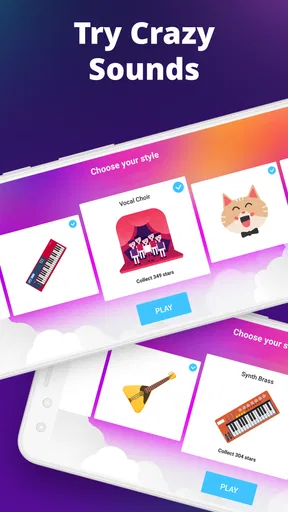
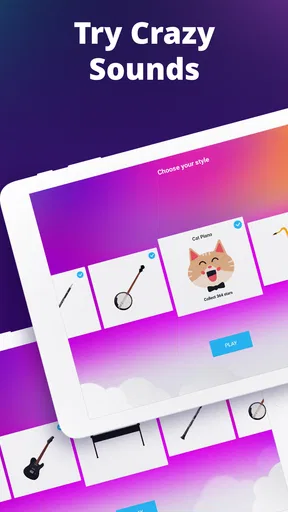
Our Review of Piano - Play & Learn Music
 Analysis by Appyee
I judge piano-learning apps by a practical question: do they make it easier to build a habit, or do they mainly make tapping notes entertaining? Piano - Play & Learn Music leans into both. It is a music game from Gismart, and its guided play is more approachable than beginning with a dense theory course. That makes it worth considering if you want a low-pressure way to explore songs, though it is not a substitute for every kind of piano instruction.
A useful first distinction is what you want to learn. If you want structured explanations of technique, rhythm, and reading music, a formal lesson or a dedicated theory-focused course may suit you better. If you mostly want to try melodies, practise in short bursts, and get a feel for playing, this game offers a more inviting starting point. I would choose based on that goal rather than expecting one app to cover every part of learning an instrument.
Choose it for guided play, not a complete music education
The appeal here is that a new player can begin without first knowing how to approach a full keyboard lesson. The app presents piano playing in manageable pieces and gives you a reason to return to a song or exercise. That can be especially helpful if you have a few spare minutes and want to do something more active than listen to music.
For a realistic everyday use, imagine waiting for a meal to finish or taking a short break between tasks. You can open the game, work on a small section, and stop when your time is up. Short sessions are a sensible way to test whether you enjoy practising before committing to regular lessons or buying a keyboard. They are less useful if your aim is to develop a deep routine with careful coaching and a long-term curriculum.
One practical tip is to treat the feedback as a prompt to repeat a passage, not as a final judgement of your musical ability. If a note seems to register inconsistently, try again in a quieter spot and focus on one small phrase rather than racing through a whole song. That approach helps separate a moment of recognition trouble from a passage you genuinely need to practise.
What the game format does especially well
As a music game, it can make repetition feel less like an assignment. The song choices give you a concrete reason to practise, and the lesson structure helps make a first attempt less intimidating. The combination is a good fit for casual learners who need encouragement to pick up the instrument—or the app—again after a few days away.
That game-like approach also changes what progress feels like. A score or a visible sense of advancement can be motivating, but it is not the same thing as mastering timing, touch, or musical expression on a real piano. I would use those signals to keep a practice streak of sorts in your routine, while also listening carefully to whether the notes sound steady and intentional.
When comparing it with the usual alternatives, think in broad categories rather than assuming every music app teaches the same way. A video lesson gives you a human demonstration to watch, while a conventional piano course may spend more time on reading and technique. A song-practice game like this is easier to dip into and can make repeating a familiar tune more enjoyable. The trade-off is that game guidance may not answer every question a teacher could address in person.
Make practice more useful with a small routine
If you are new, choose a song or lesson that feels just slightly challenging, then repeat a short section before moving on. It is tempting to chase variety, but staying with one passage gives you a clearer sense of whether your timing and accuracy are improving. If you already play, use the app as a light warm-up or a way to explore a tune, not as the only place you work on advanced technique.
It is also worth deciding in advance what counts as a successful session. You might aim to play a section more smoothly, understand where you tend to hesitate, or simply finish one short lesson. A small target makes the game easier to fit into an ordinary day and prevents the leaderboard or score from becoming the only measure of whether practice was worthwhile.
Sound conditions matter for an app that listens to playing. Background noise can interfere with recognition, so a quiet room is a better place to work through a difficult passage. If the app seems to miss notes, slow down and try the phrase again before assuming you have played it incorrectly. This is a simple troubleshooting habit, but it can spare you from practising the wrong thing in response to a fussy result.
Who may prefer another route
This is not my first choice for someone who wants a teacher to correct posture, hand position, or subtle technique. Nor would I recommend relying on a gamified lesson alone if you need a carefully sequenced programme for exams or formal music study. In those cases, an instructor, a method book, or a course built around music reading is likely to provide clearer structure.
It may also be a poor fit if you dislike scores, challenges, or app-based feedback and simply want an open keyboard to play freely. Conversely, if you are shopping for a full-size digital instrument, this game is not a replacement for comparing keyboards and their playing feel. Its value is in guided practice on a screen, not in supplying the physical experience of a piano.
For someone who already owns a keyboard, the decision is a little different. The original review notes MIDI input, which can make practice feel more connected to a real instrument. Before building your routine around that setup, check that your own keyboard and connection work as expected; compatibility and convenience matter more than the feature sounding appealing in principle.
Think about the commitment before paying
The game is free to download, but it includes in-app purchases priced from $1.99 to $89.99 per item. I would start with the free experience and see whether the lesson style and song practice actually keep you coming back. Paying makes more sense after you have found a routine and know what access you want; it is a weaker choice if you are still unsure whether piano practice interests you.
It is listed for everyone, has a 4.2 average from around 96,000 ratings, and has passed 10 million installs. Those figures suggest that it has found a broad audience, but they cannot tell you whether its approach will suit your learning style. The sensible test is personal: try a few sessions, notice whether the feedback helps, and decide whether you want to continue before spending.
The version is 2.21.1, and it runs on Android 5.0 or later. If you are installing it on an older device, checking the operating-system requirement first can prevent a frustrating detour. The game was released on October 2, 2018, and the current version is the one to consider when deciding whether it fits your phone or tablet.
If you switch from another learning app, the main cost is not moving an elaborate setup; it is rebuilding your habit and getting used to a different way of practising. Keep your goal simple during the first sessions: choose one passage, notice how the feedback responds, and decide whether the format makes you want to play again. There is little point in switching just because another app has a longer feature list if you are not enjoying its approach.
Getting Started with Piano - Play & Learn Music
First things first, downloading and setting up the app was a breeze. It's available on both Android and iOS, so no one gets left out. Once you're in, you're greeted with a user-friendly interface that's easy on the eyes. The app eases you into the world of piano with a simple tutorial that makes even a newbie feel like they can conquer Beethoven.
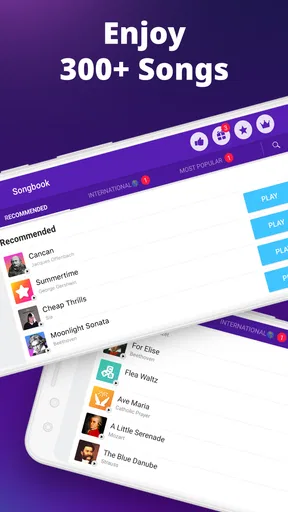
The app offers a wide variety of songs to choose from. Whether you're into classical, pop, or even jazz, there's something here to keep you entertained. I found myself gravitating towards the pop section—who can resist a good Ed Sheeran tune?
Features Worth Noting
One of the standout features of this app is its interactive lessons. These aren't your run-of-the-mill, boring tutorials. Instead, the app uses gamification to keep things fun and engaging. Each lesson is designed to gradually increase your skill level, and there's a handy progress tracker to show you how far you've come.
The app also boasts a nifty practice mode, where you can slow down tricky parts of a song. This is a godsend when you're trying to nail those rapid-fire notes. Trust me, your fingers will thank you for it!
Another cool feature is the real-time feedback. As you play, the app listens to your performance and gives instant feedback. This is like having a personal piano teacher in your pocket, minus the steep hourly rate.
The Social Element
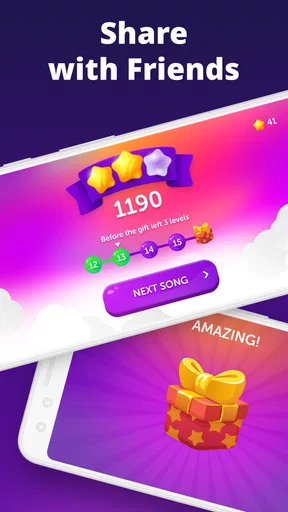
What surprised me was the community aspect of the app. You can connect with other users, share your progress, and even have friendly competitions. This adds a social layer that makes learning less isolating and a lot more fun. Plus, who doesn't like a bit of friendly rivalry to keep you motivated?
There's also a leaderboard feature where you can see how you stack up against other players. It's surprisingly satisfying to see your name climb the ranks as you improve.
For the Pros and the Amateurs
Whether you're a seasoned pianist or someone who's never touched a piano before, this app caters to all skill levels. For beginners, the step-by-step lessons are invaluable. For more advanced players, there's a wide selection of challenging pieces to sink your teeth into.
The app also supports MIDI input, so if you've got a keyboard lying around, you can connect it to the app for a more authentic playing experience. It’s like having a full-fledged music studio right at your fingertips!
Room for Improvement
No app is perfect, and Piano - Play & Learn Music is no exception. While the song library is extensive, I'd love to see more contemporary hits added regularly. Also, sometimes the app’s feedback can be a bit finicky, especially if there's background noise. But these are minor gripes in an otherwise stellar app.
Another point to consider is the premium subscription. While the free version offers plenty, unlocking the full experience requires a subscription. For those serious about learning, it’s worth every penny, but it's something to keep in mind if you're on a budget.
Conclusion
All in all, Piano - Play & Learn Music is a fantastic app for anyone looking to learn piano or brush up on their skills. It combines fun, functionality, and a sense of community, making the daunting task of learning an instrument a lot more approachable. Whether you're playing for fun or aiming to become the next Mozart, this app is definitely worth checking out. So, why not give it a whirl? You might just discover your hidden musical talents!
My recommendation
I would recommend it most to a curious beginner who wants to try piano without making the first step feel serious or costly. Its strongest case is as a welcoming practice companion: songs offer a reason to play, while lessons and feedback give a little direction. For a more ambitious learner, I would pair it with proper keyboard time and instruction rather than treating game progress as proof of complete musical development.
The key question is whether this style makes you return to practice. If it does, the app has done something useful, even if you later move on to a teacher or a more structured course. If you find yourself focused only on rankings, frustrated by recognition, or wishing for a physical keyboard under your hands, that is a good sign to try a different route. In short, I see it as an easy entry point and a fun way to keep songs in your routine—not a universal replacement for learning piano.
Verdict
Strengths of Piano - Play & Learn Music
- Intuitive interface for beginners.
- Wide range of songs to learn.
- Interactive lessons enhance learning.
- Offline mode for practice anywhere.
- Customizable difficulty levels.
Limitations of Piano - Play & Learn Music
- In-app ads can be disruptive.
- Limited free song selection.
- Requires account for full features.
- High subscription costs for premium.
- Occasional app crashes reported.
Other Releases by Gismart
View All
Piano - Music Keyboard & Tiles
Music4.1

Real Guitar - Music Band Game
Music3.1

Drum Pads - Beat Maker Go
Music & Audio3.0

VIP Guard
Arcade4.7
Similar Picks in This Category
View All
Tiles Hop Music & Ball Game
AMANOTES PTE. LTD.4.3

Magic Tiles 3™ - Piano Game
AMANOTES PTE. LTD.4.6

Real Piano
Bilkon3.7

Piano Game: Classic Music Song
Dream Tiles Piano Game Studio4.0

Smash Colors: Music Ball Rush
BADSNOWBALL HONGKONG LIMITED4.2

Piano Music Go-EDM Piano Games
Joy Journey Music Games4.5
Frequently Asked Questions
What features does Piano - Play & Learn Music offer?
Piano - Play & Learn Music offers a comprehensive set of features for both beginners and advanced players. It includes interactive lessons, a wide variety of songs across different genres, and a mode to record and share your performances. Additionally, it provides real-time feedback to help you improve your skills.
Is Piano - Play & Learn Music suitable for beginners?
Absolutely! The app is designed with beginners in mind, offering step-by-step tutorials, simplified sheet music, and a practice mode that gradually increases in difficulty. The user-friendly interface ensures that new players can easily navigate through the lessons and start playing right away.
Does the app require an internet connection?
While Piano - Play & Learn Music can be used offline for practicing, an internet connection is required to access certain features like downloading new songs and updates. It’s recommended to connect occasionally to fully benefit from all the app’s capabilities and stay updated with the latest content.
Are there in-app purchases or subscriptions?
Yes, Piano - Play & Learn Music offers a range of in-app purchases and subscription options. While the basic version is free, accessing premium features such as advanced lessons and exclusive songs may require a subscription. It’s important to review the app’s pricing structure to choose the best option for your needs.
Can I use an external MIDI keyboard with the app?
Yes, the app supports connectivity with external MIDI keyboards, enhancing the learning experience. By using a MIDI keyboard, users can enjoy a more authentic playing experience and receive more accurate feedback. Ensure your device is compatible and properly configured to take advantage of this feature.
Play our best games!


